


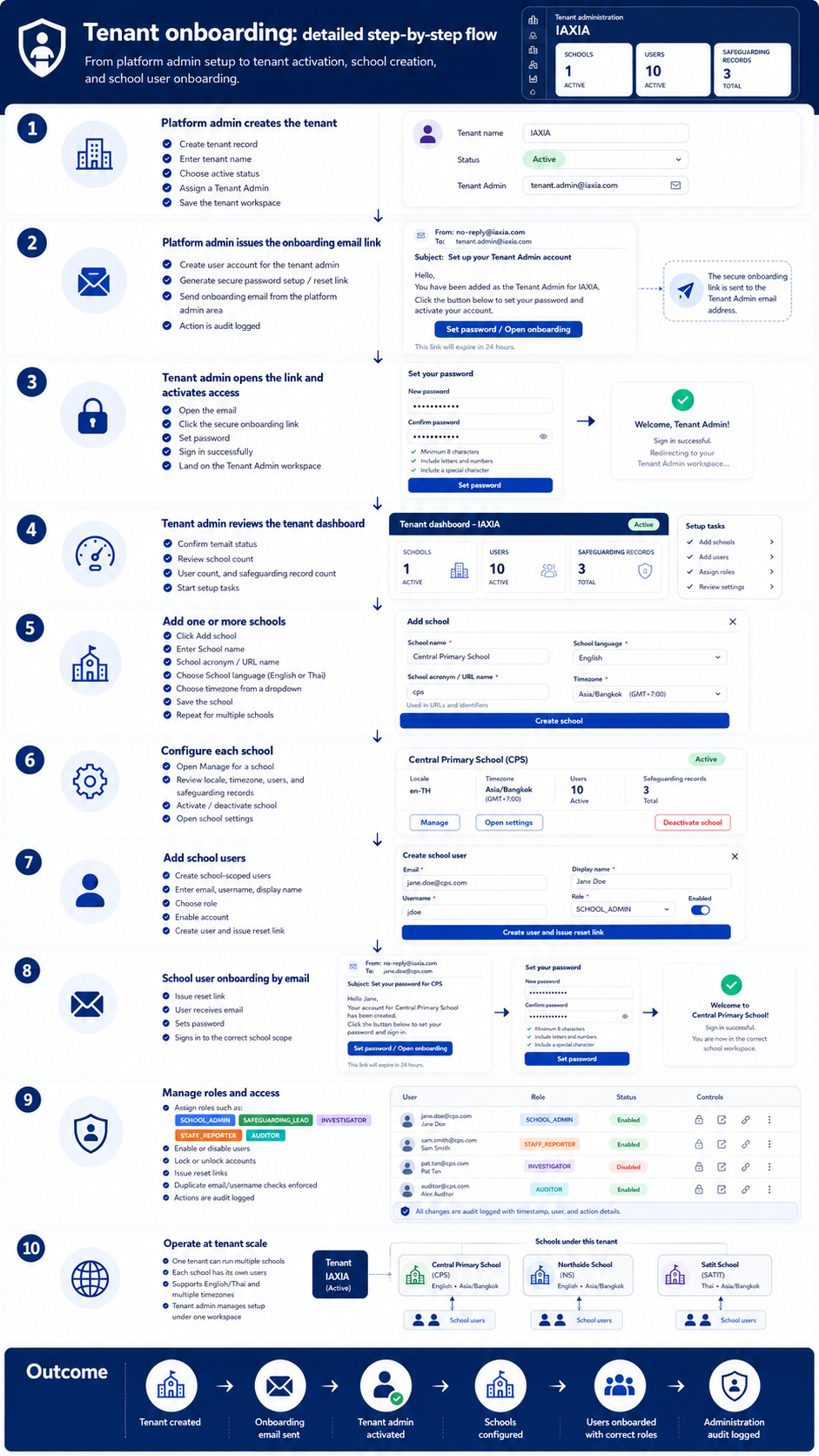
Tenant onboarding detailed step-by-step flow
A detailed walkthrough from platform-admin tenant creation through onboarding email, school setup, user creation, role assignment, and tenant-scale operation.
Open full-size diagram →These diagrams help schools, safeguarding teams, IT leaders, and partner organizations quickly understand how Child Protect Platform handles onboarding, access control, administration, evidence preservation, and complete workflow operation.
A detailed walkthrough from platform-admin tenant creation through onboarding email, school setup, user creation, role assignment, and tenant-scale operation.
Open full-size diagram →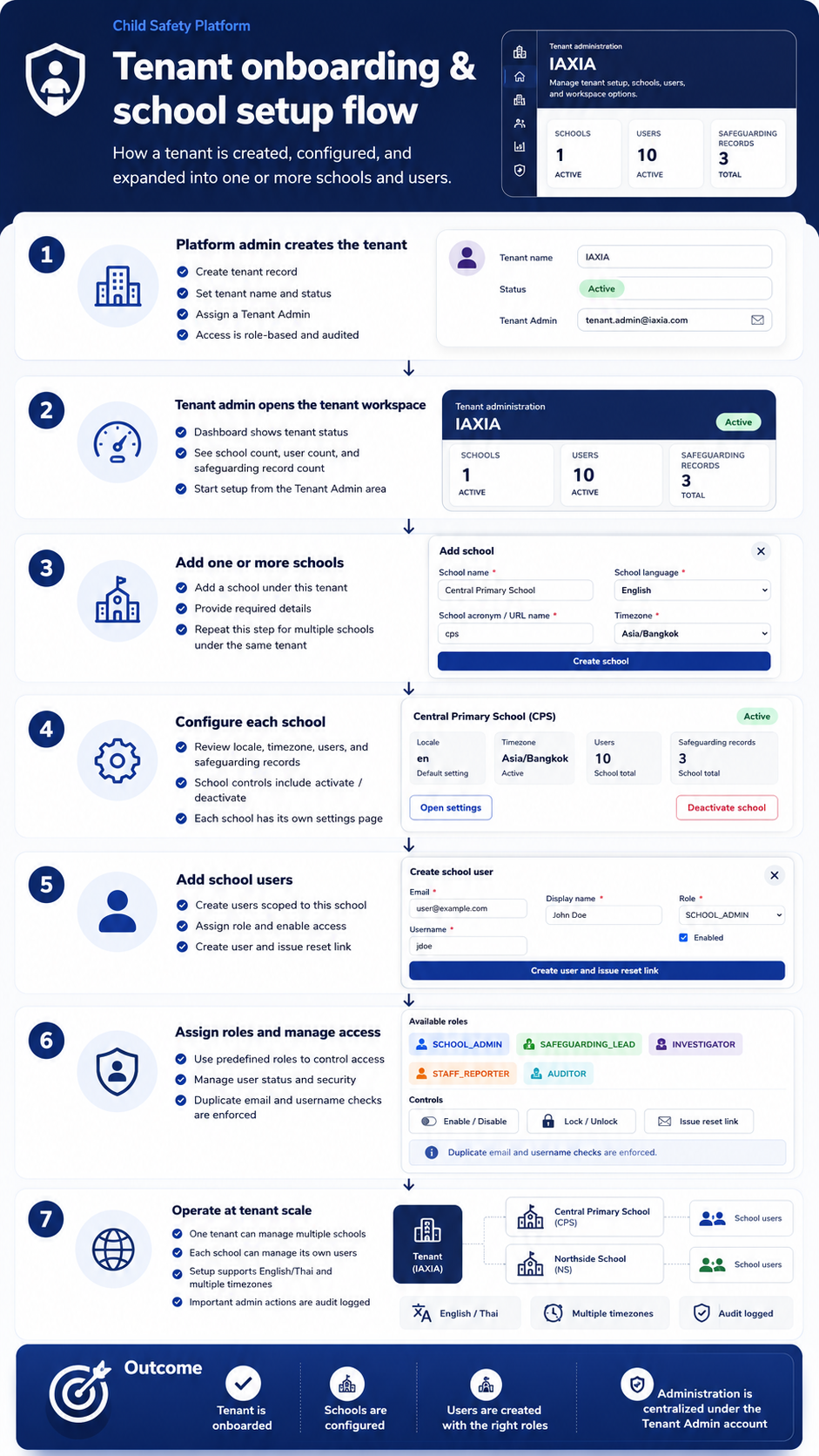
A simplified flow showing tenant creation, dashboard review, school creation, school configuration, school users, role assignment, and tenant-scale operation.
Open full-size diagram →
A role-based access control map showing platform, tenant, and school-level roles with least-privilege permission principles.
Open full-size diagram →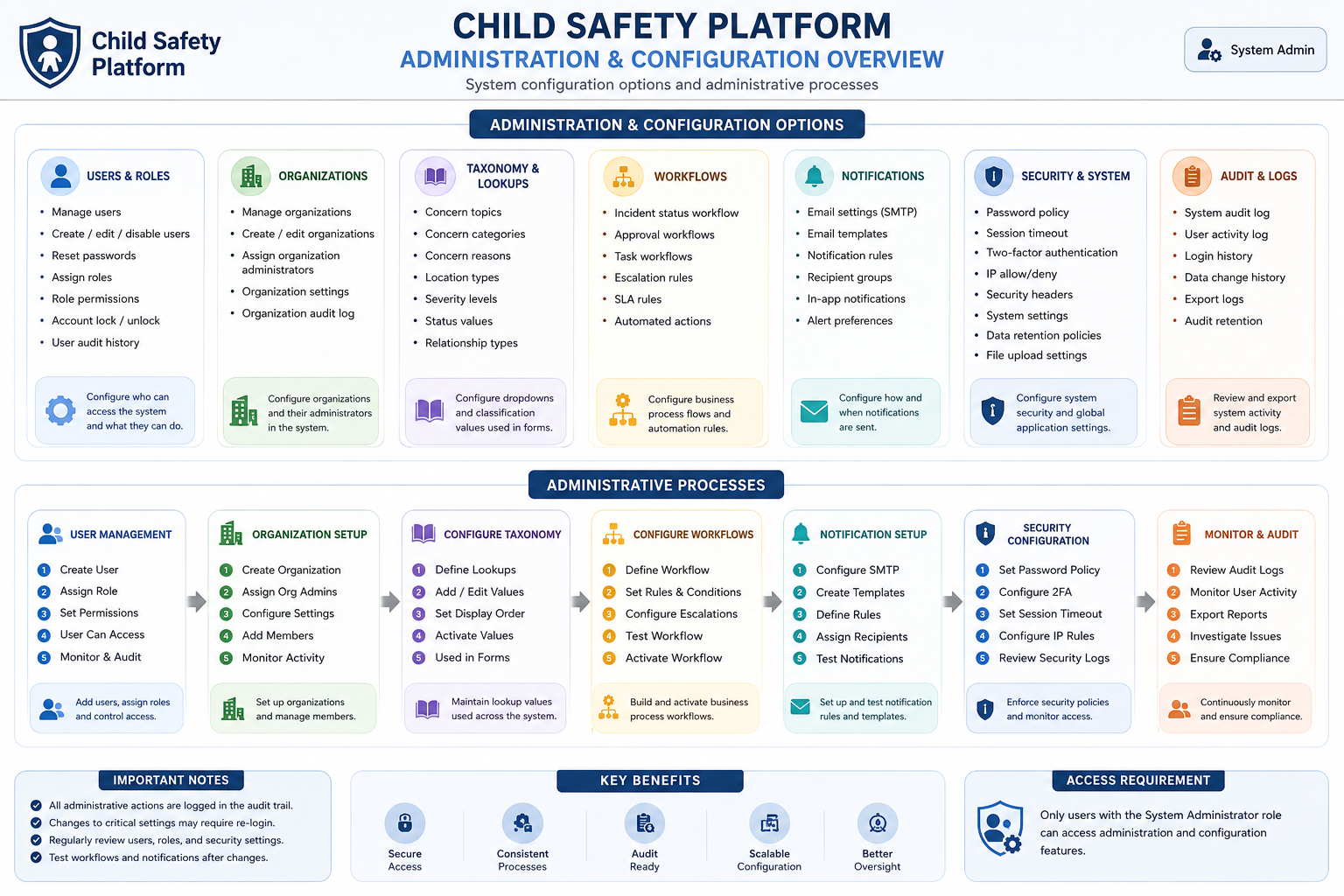
A system-admin configuration map covering users, organizations, taxonomy, workflows, notifications, security settings, and audit logs.
Open full-size diagram →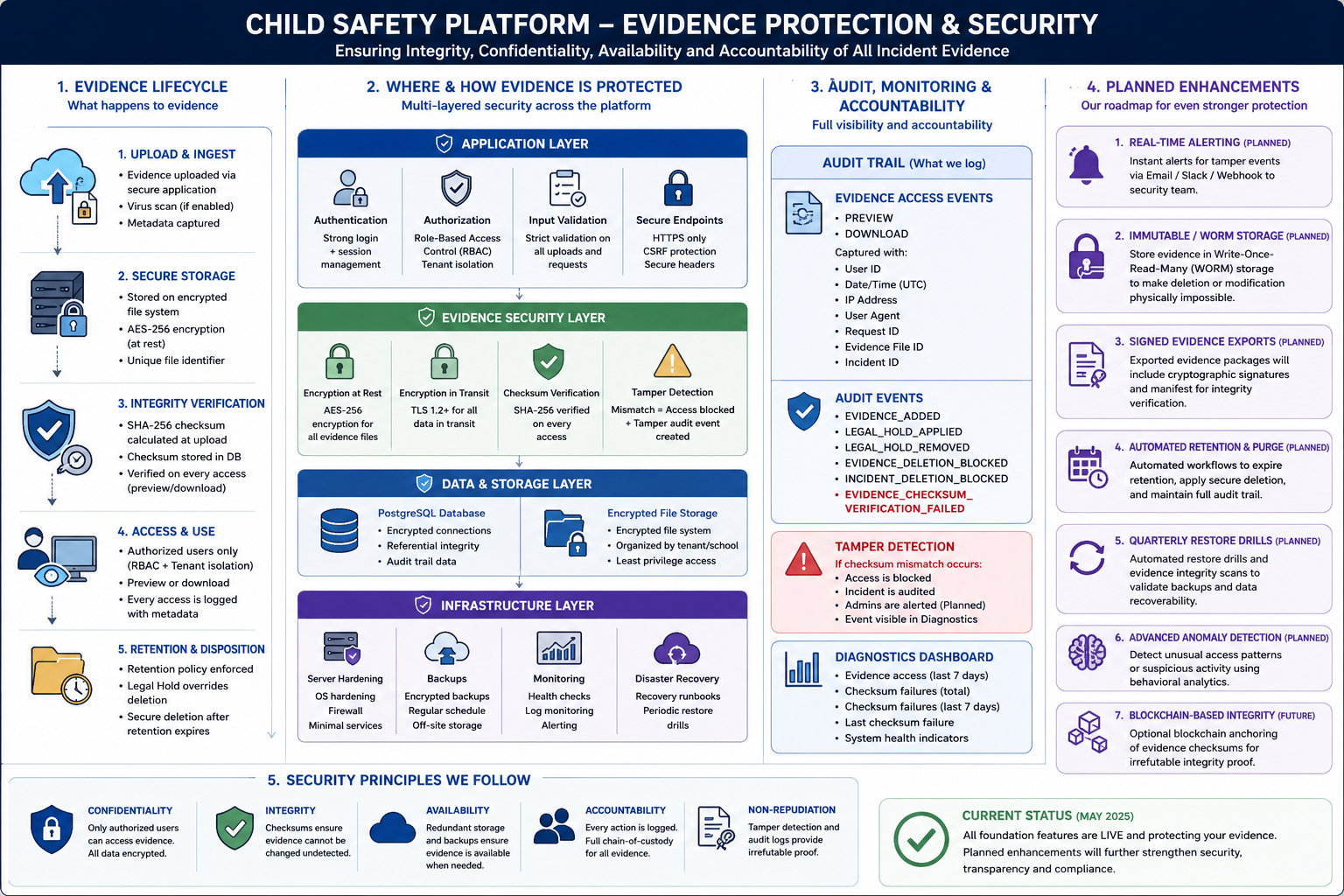
A detailed evidence-protection model covering lifecycle, application controls, storage, auditability, monitoring, and active security features.
Open full-size diagram →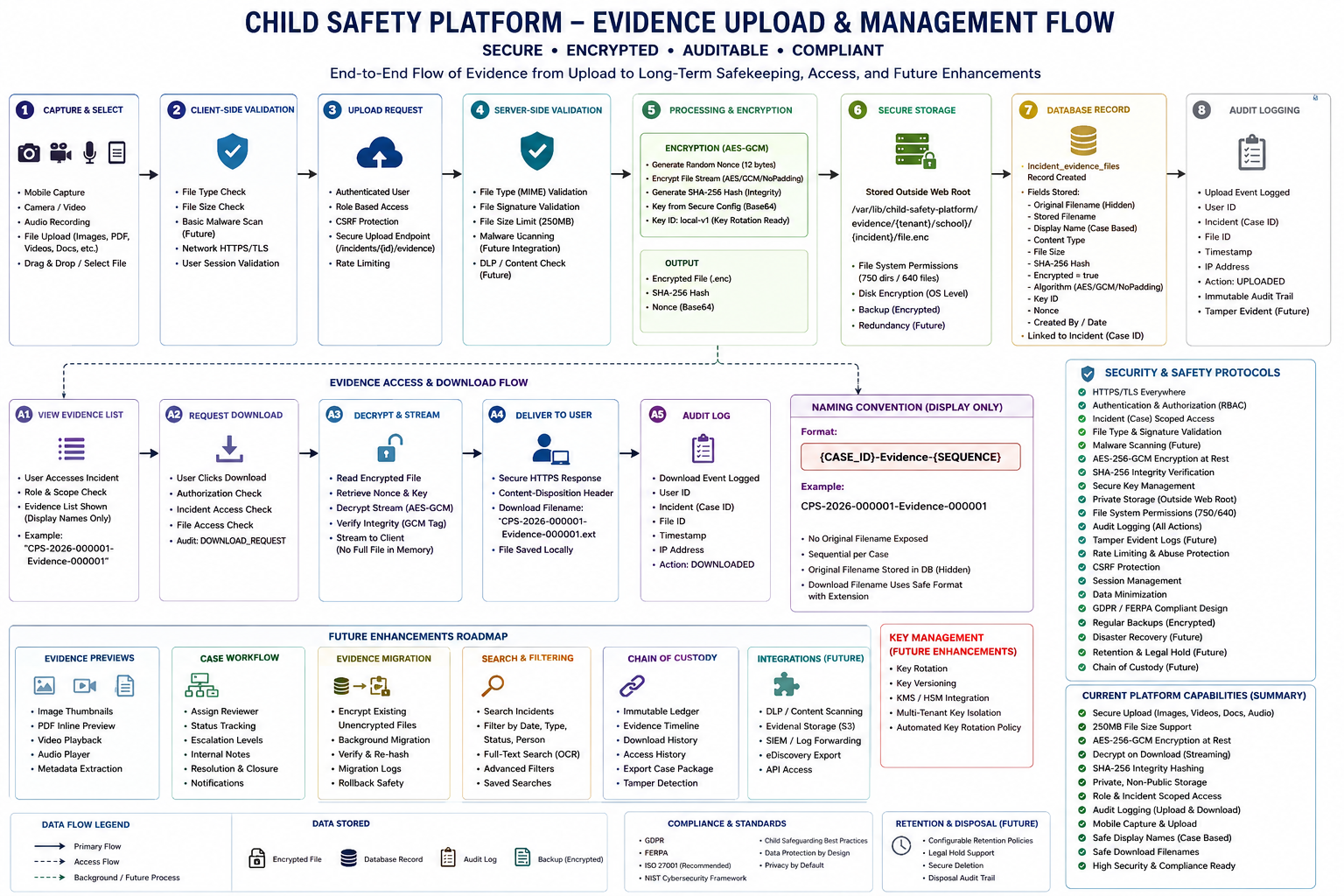
An updated evidence-security diagram showing live protections such as WORM storage, signed exports, restore drills, anomaly detection, and blockchain-based integrity anchoring.
Open full-size diagram →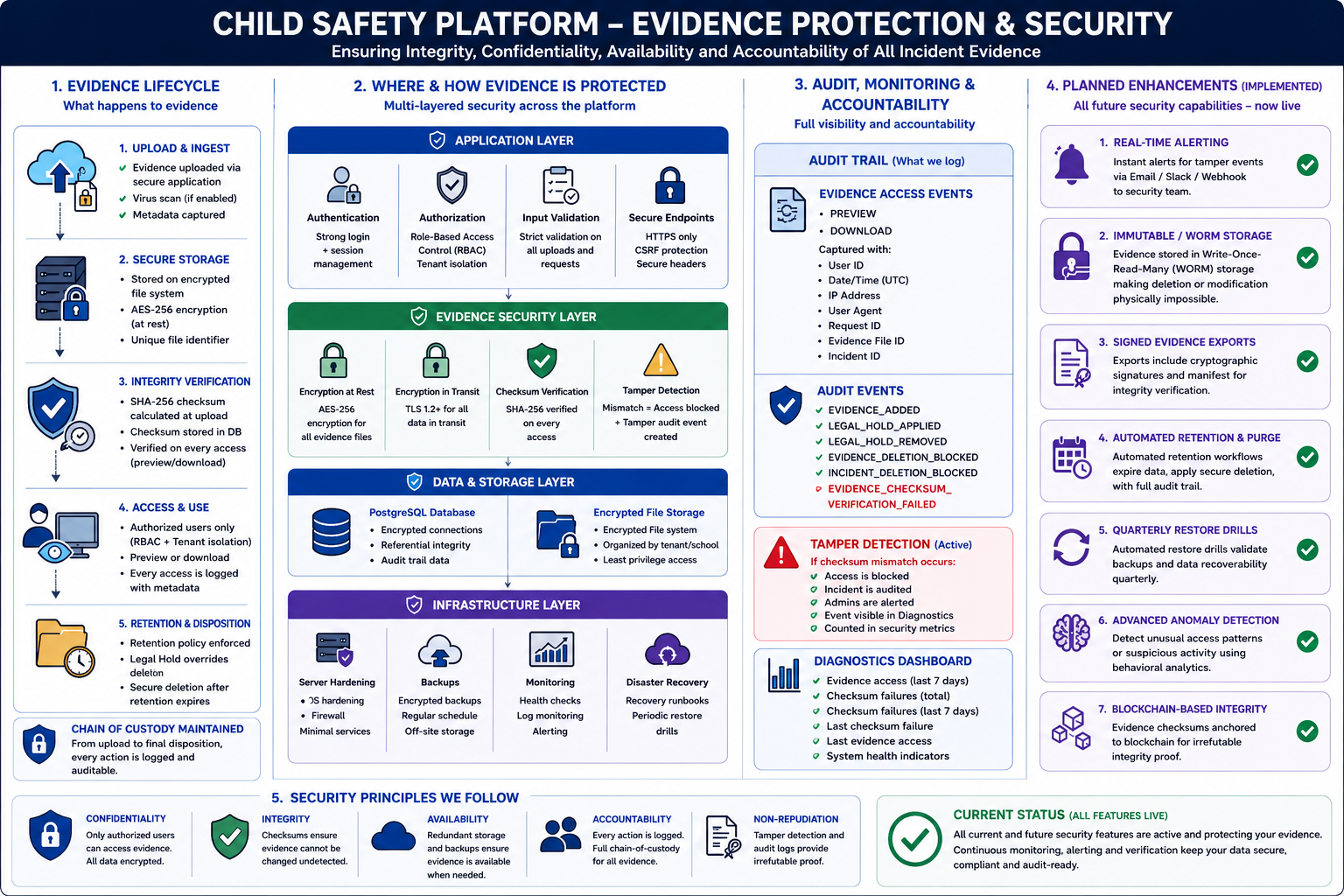
An end-to-end evidence upload, validation, encryption, storage, database record, audit logging, access, download, retention, and roadmap flow.
Open full-size diagram →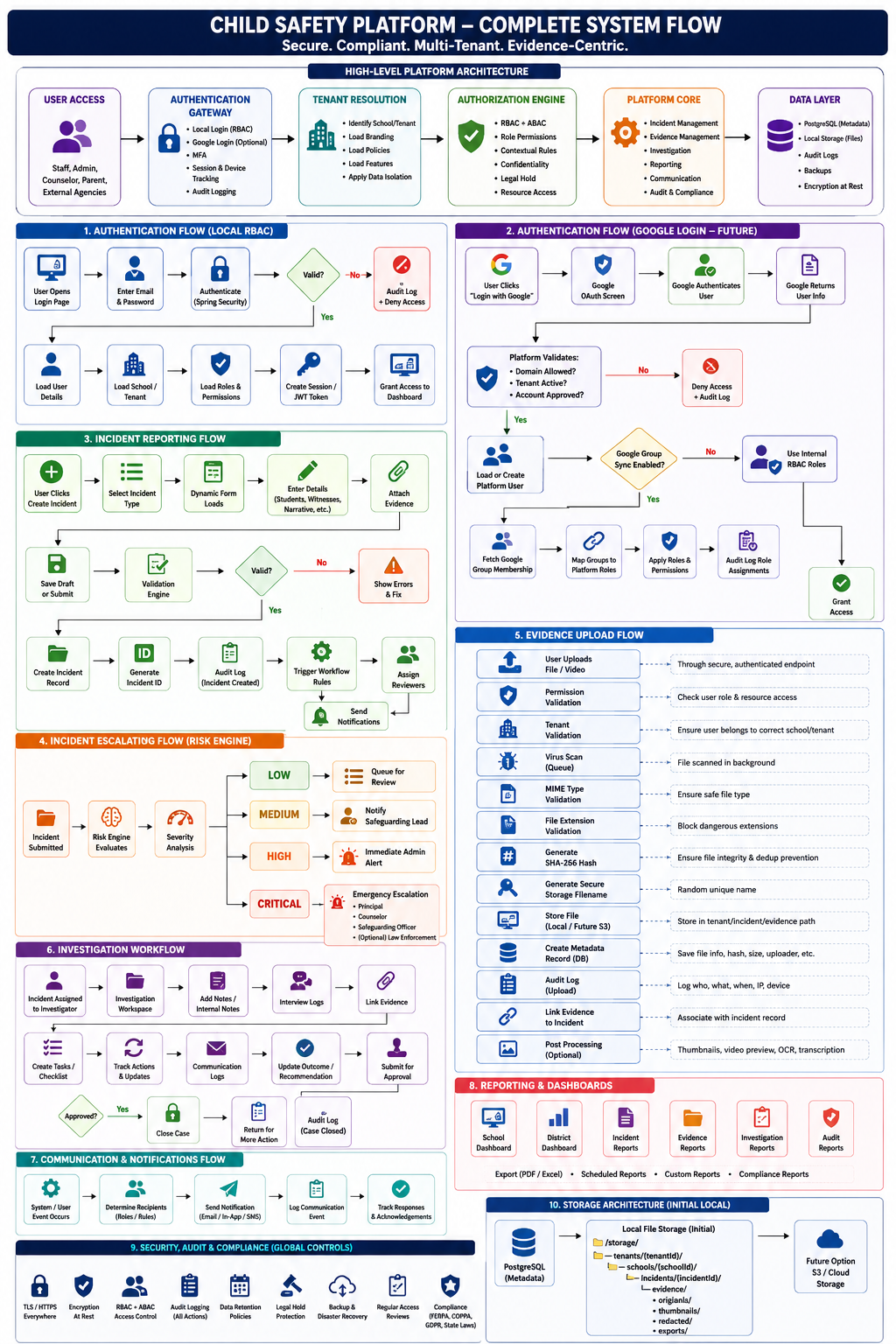
A complete platform architecture and workflow diagram covering authentication, reporting, escalation, investigation, notifications, security controls, evidence upload, reporting, and storage architecture.
Open full-size diagram →