


Security, privacy, evidence, and governance in one place.
The Trust Center gives schools and partners a clear overview of how the platform approaches sensitive safeguarding workflows, evidence preservation, and accountable operation.
Trust answer
What does trust mean for safeguarding software?
Trust in safeguarding software means sensitive records are handled through controlled access, clear workflows, evidence preservation, audit history, and responsible communication. Schools need systems that reduce unnecessary exposure and support accountable review.
Common questions
Why is access control important?
Not every staff member should see every safeguarding record. Role-based access helps reduce unnecessary exposure.
Why is audit history useful?
It helps schools understand when updates, actions, and evidence changes occurred.
Does trust depend only on technology?
No. Technology supports good practice, but policies, training, and responsible leadership also matter.
Can vulnerability disclosure help?
Yes. Clear vulnerability disclosure routes support responsible reporting of security concerns.
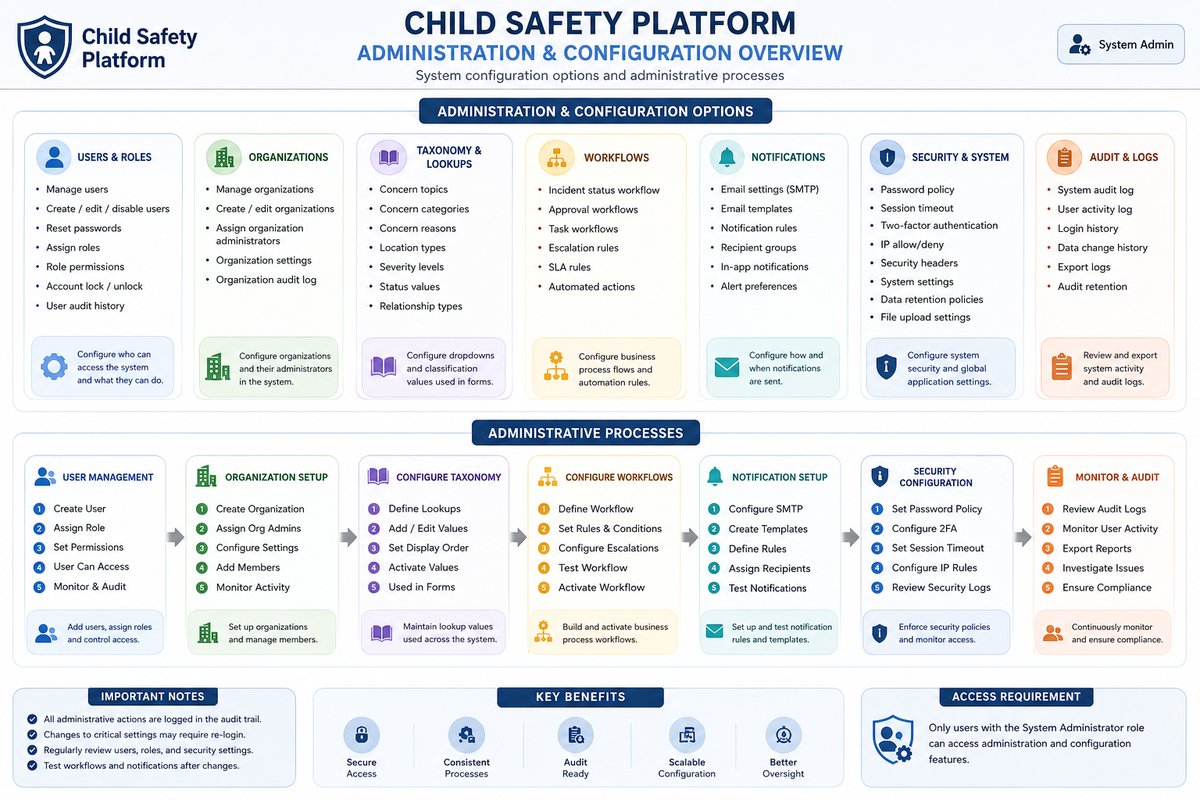
A single place for security, privacy, evidence, and governance information.
The Trust Center helps interested organizations understand how Child Protect approaches sensitive safeguarding operations.
Security Overview
Hardened production model, role-based access, encryption, monitoring, and operational assurance.
View securityEvidence Preservation
Encrypted evidence handling, access controls, malware scanning, audit trails, and backup discipline.
View evidence modelThailand Alignment
PDPA-aware and school-safety-focused positioning for Thailand education environments.
View alignmentPolicies
Privacy, child data, terms, DPA, acceptable use, cookies, disclosure, and accessibility.
View policiesTrust is built from controls working together.
Encryption protects evidence. Role-based access limits exposure. Tenant and school scoping preserve boundaries. Audit records support accountability. Backup verification and health checks support operational confidence.